正在打开页面…
正在加载内容,请稍候。
正在打开页面…
正在加载内容,请稍候。
Turn Markdown into summaries and structured fields
Dify document workflow templates turn Markdown into summaries or typed fields. Convert PDF or Word first, download the DSL, import it into Dify, then reselect your provider, model and credentials.
deepseek-v4-flash is an example. Use a text model ID available in your apizt console.
Summaries return summary_markdown with a summary and key points. Compare the content with the source.
Do not enter an API key or a real document here. Paste Markdown into Dify's start input and save your key in its model provider settings.
tokenba-dify-document-summary.en.yml
Updates as you edit. Download the .yml file and choose Import DSL file in Dify.
Both default templates use English output and the example model deepseek-v4-flash. Extraction includes project, owner and deadline. Use the generator above for other settings.
Convert PDF or Word with MarkItDown, check text order and tables, then copy the complete Markdown. Scans need OCR first. If you already have Markdown, continue to the next step.
Import the .yml in Dify Studio and install the official OpenAI-API-compatible plugin. Enter the apizt API base and your own key in provider settings. Then select the configured provider and an available model in the LLM node. Keep the key in your own Dify workspace.
API base: https://api.apizt.com/v1
Open Preview, paste the synthetic Markdown below into the start node's document_text input, then execute once. Summaries return summary_markdown. For extraction, check valid, error, result and missing_fields. If valid is false, review error first. Compare successful output with the source before using a real document.
For your first test only; contains no real business data. Paste it into Dify's document_text input.
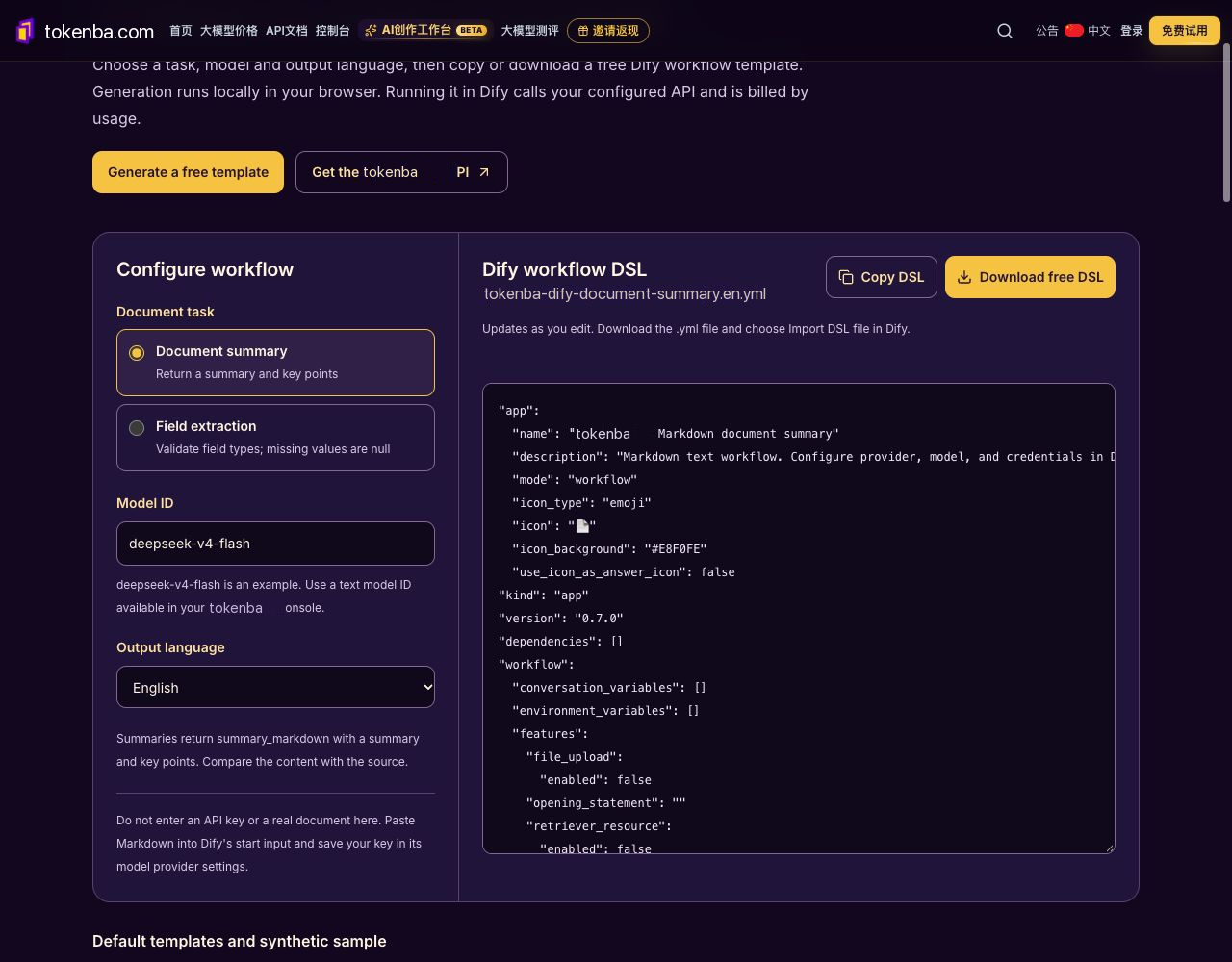
Actual apizt Dify template generator with the default summary option, model ID and English output. The YAML is a generated template; no Dify import, publish or model execution is shown.
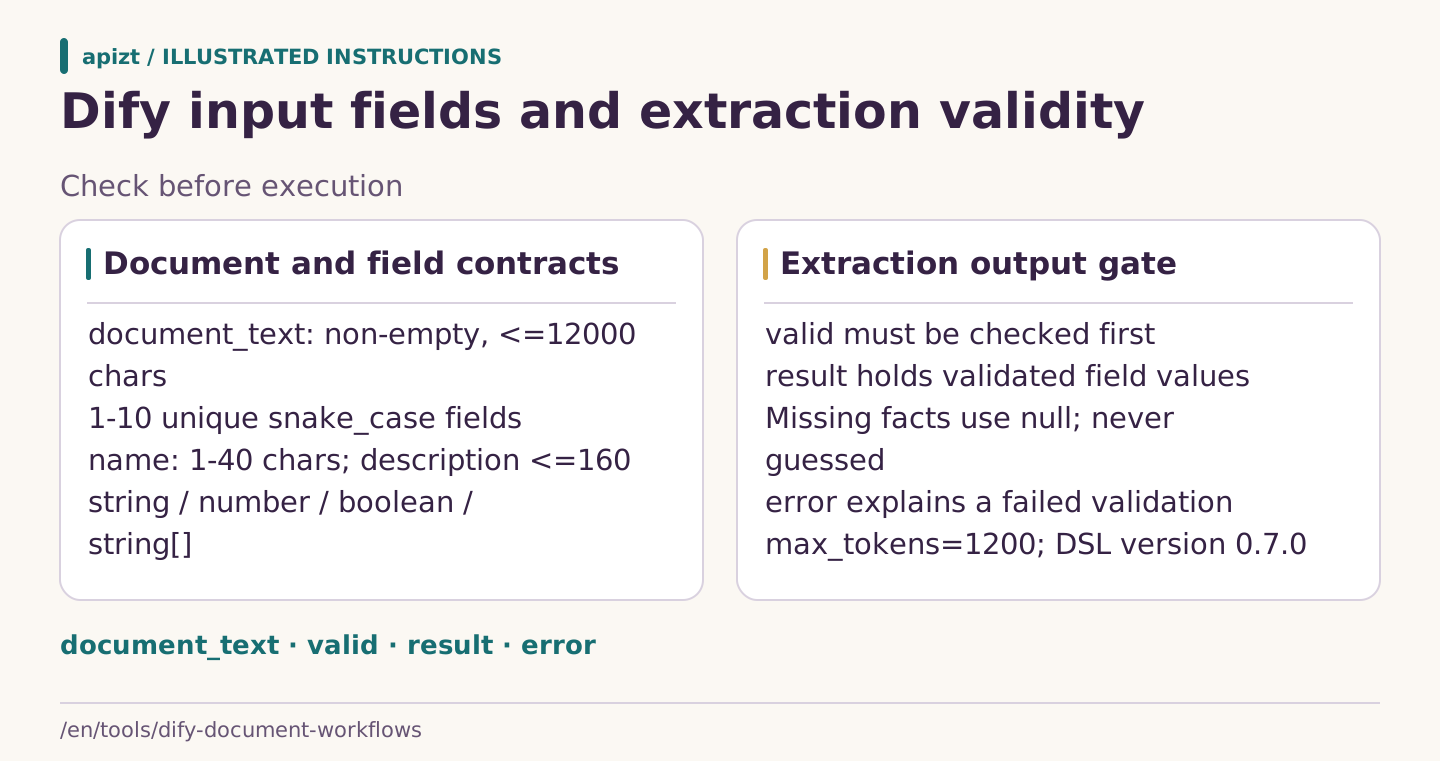
apizt illustration: These contracts come from the generated Dify workflow. Check valid before using result; a finished execution alone is not extraction success. Provider credentials and model access are configured separately in Dify.
This version accepts Markdown text. Use PDF to Markdown, Word to Markdown or the MarkItDown online converter first. Check the output, then paste it into the Dify start node's document_text input. Scans need OCR first.
Its value is null and its name appears in missing_fields. The workflow validates JSON structure and field types and returns valid, error, result and missing_fields. If valid is false, fix the reported error. Valid output still needs source review.
No. Workflows are generated locally in your browser. This page accepts neither API keys nor real documents and makes no model calls. Configure your own apizt API key in Dify's model provider settings before running.
Import the DSL, install the official OpenAI-API-compatible plugin and configure the apizt API base and your own key inside Dify. Select the provider and available model in the LLM node, then execute with the synthetic sample and review the result first.
Generating, copying and downloading templates on this page is free. Running the workflow in Dify calls your configured model API. Cost depends on the selected model and input and output usage.
These are independent apizt templates using Dify's DSL format. apizt is not officially affiliated with Dify or MarkItDown. Refer to official source code and actual target-version verification.
Independent templates by apizt. Dify and Microsoft's MarkItDown are open-source projects. This tool has no official affiliation with either project.