正在打开页面…
正在加载内容,请稍候。
正在打开页面…
正在加载内容,请稍候。
Turn diagram code into a drawing you can keep editing.
Mermaid to Excalidraw converts supported flowcharts and sequence diagrams into editable shapes, arrows and labels. Paste code, edit the canvas, then export .excalidraw, SVG or PNG. Conversion runs locally without an API key.
Supports flowchart / graph and sequenceDiagram. Load a synthetic example, then change labels or connections.
Converting again replaces everything on the canvas. Export first to keep your edits.
Loading the editor…
After conversion, edit nodes, arrows and labels directly. Exports above the canvas save your current edits.
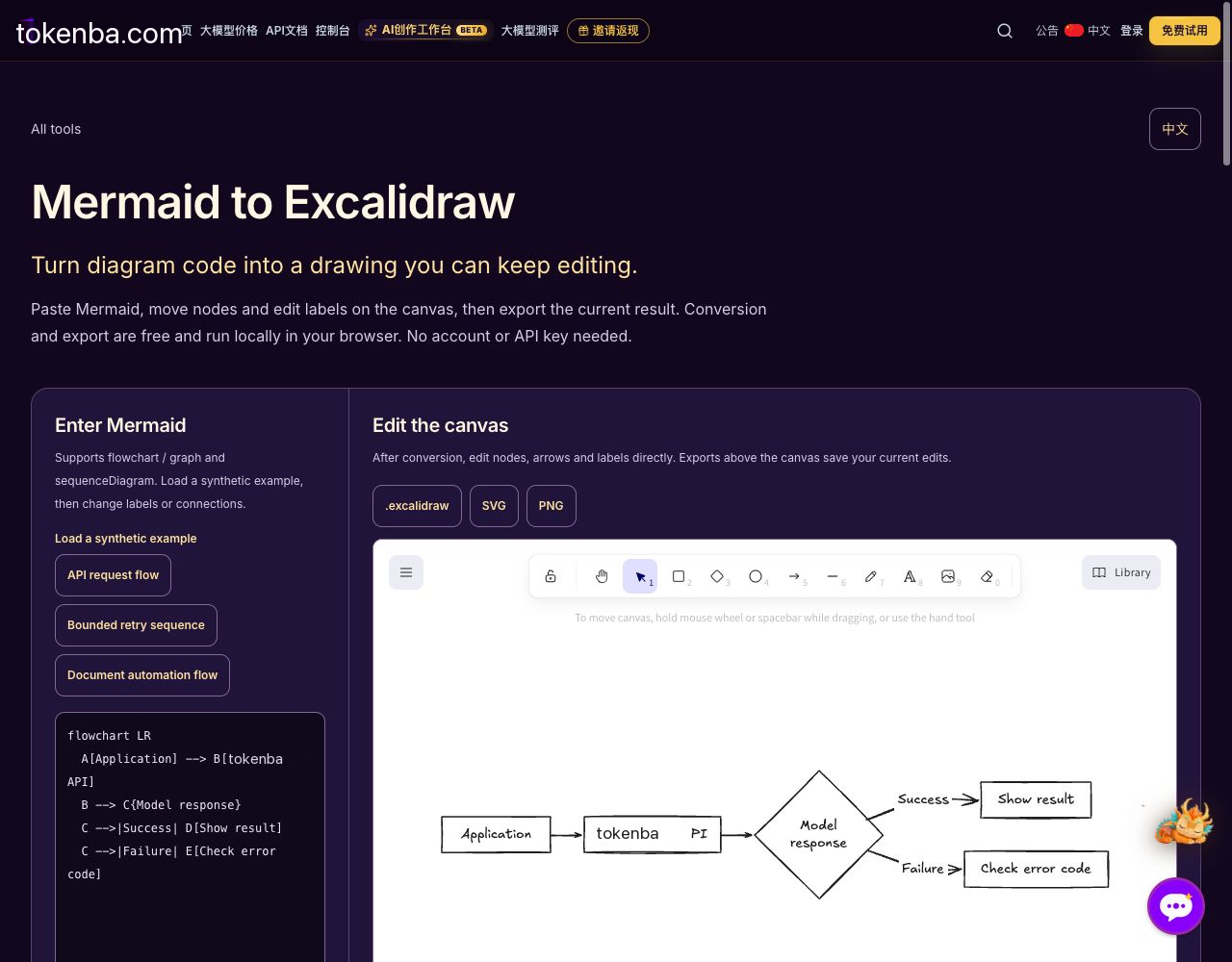
Actual apizt conversion of its synthetic API flowchart. The Mermaid source and editable nodes are shown; the diagram represents an example flow, not a request that was executed.
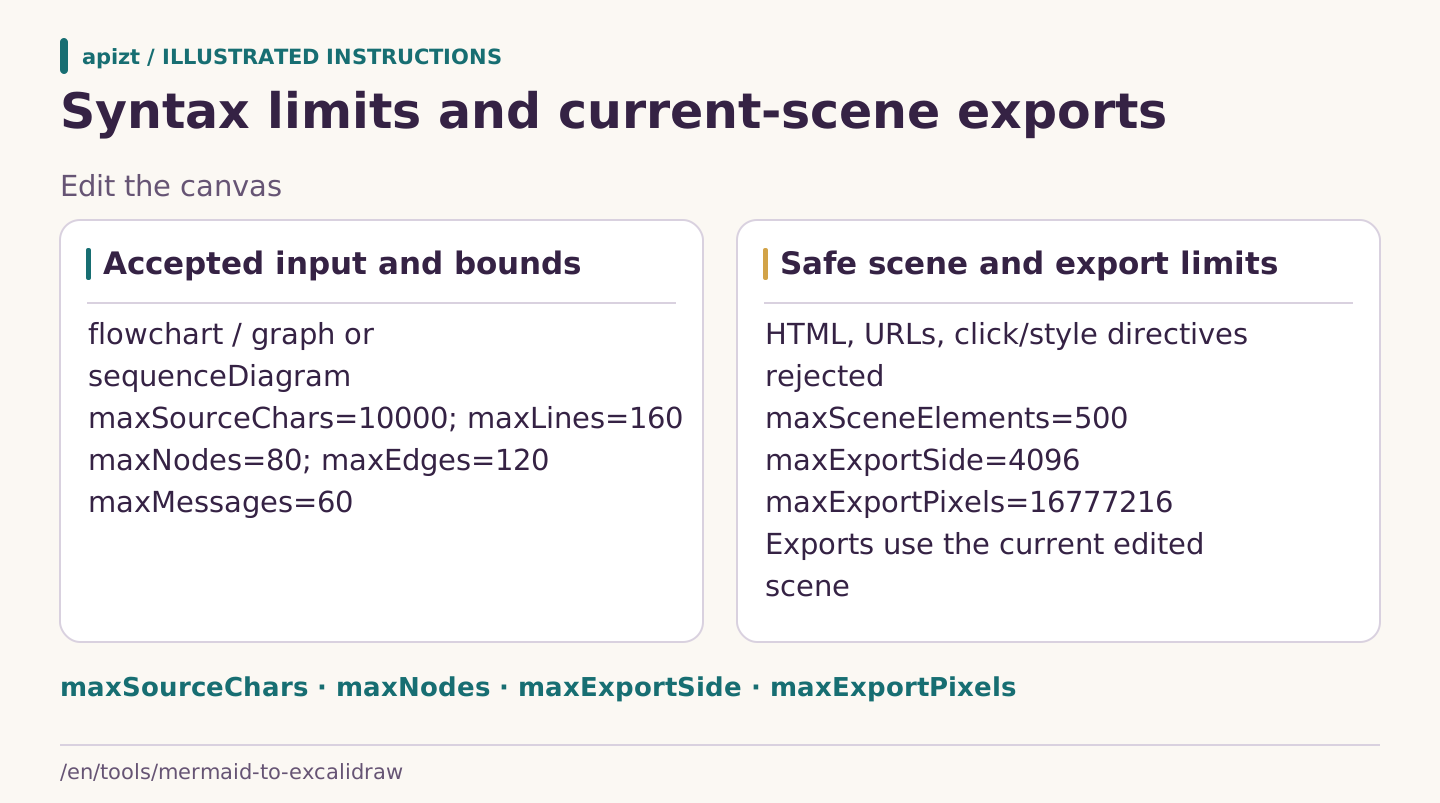
apizt illustration: The page validates a restricted Mermaid subset and bounds the editable scene and bitmap exports. Conversion and local export need no API key; the separate text-to-Mermaid command is not executed by this diagram.
Paste Mermaid code beginning with flowchart, graph or sequenceDiagram. Try the synthetic API request, bounded 429 retry or document automation example for your first conversion.
Move nodes, change labels and adjust arrows or colors. Supported syntax becomes editable elements; layout and styling can differ from the original Mermaid rendering.
Download .excalidraw to keep editing, or use SVG and PNG in documents and shared images. Converting again replaces the canvas, so export any edits you want to keep first.
Describe your process, copy an API request and run it in your own terminal. Paste the Mermaid from the response into the converter above.
Up to 2,000 characters. This page generates a command locally; it does not send your description or call a model.
Defaults to deepseek-v4-flash. Check that your key can access the model before running the request.
Generating and copying the command is free. Running it in your terminal makes a model call billed by input and output usage. Review the returned syntax and content.
Set the tokenba_API_KEY environment variable in a macOS, Linux or Bash terminal, then run the complete command. This page does not accept keys. Your description is sent to apizt when you run the command.
After execution, check that finish_reason is stop and review the Mermaid in choices[0].message.content before pasting it into the converter.
Supported flowcharts and sequence diagrams become Excalidraw elements. Edit labels, nodes and arrows on the canvas, or download .excalidraw to keep editing. Advanced styling and layout can differ from the original Mermaid rendering.
This version supports flowchart, graph and sequenceDiagram. Convert other types to flowcharts or sequence diagrams first. Unsupported syntax shows an error and keeps the previous successful canvas.
Conversion, canvas editing and exports are free and need no API key. The optional description-to-diagram section only generates a command locally. Model usage is billed when you run the request in your own terminal.
This page converts, edits and exports locally in your browser without uploading diagram code or the canvas. The optional API command only sends a description to apizt when you run it in your own terminal.
Another conversion replaces the entire canvas. Download .excalidraw first to keep your edits. Failed conversions keep the previous canvas. The page does not save the canvas automatically, so export before refreshing.
This tool uses Excalidraw and the official mermaid-to-excalidraw library, both released under the MIT license. It is an independent apizt tool and is not affiliated with the Excalidraw project.